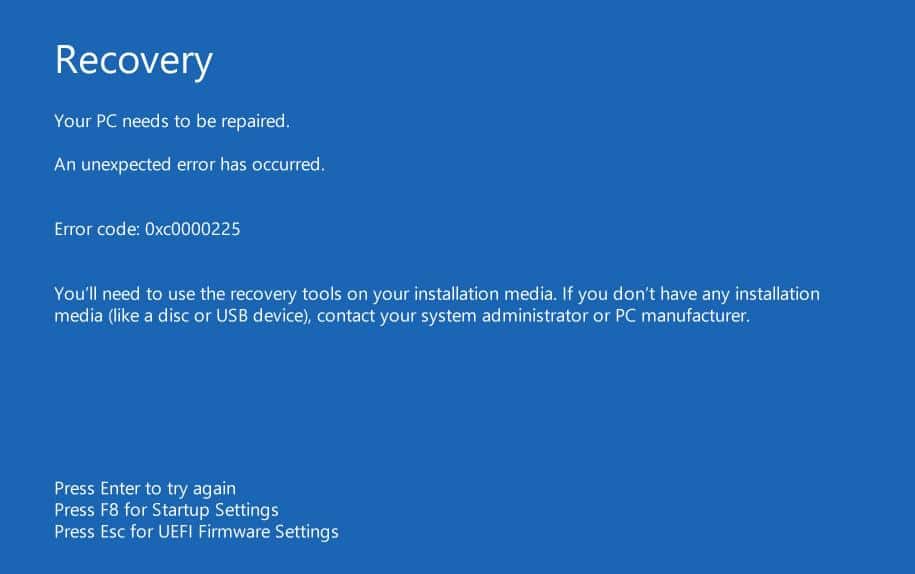
Windows Windows错误代码0xc0000225:如何解决问题 by Johannes 17 3 月, 2022 written by Johannes 17 3 月, 2022 2.6K 当显示错误代码0xc0000225时,Windows 10无法再正常启动。你可以在这个实用的提示中找到如何修复错误。 修复错误代码0xc0000225。你能做什么 当系统文件被破坏时,启动时出现错误代码0xc0000225。要解决这个错误,你需要从安装介质启动Windows。 例如,你可以在U盘上安装Windows 10,当你启动电脑时,让它从U盘上启动。 然后选择 “计算机维修选项 “和 “故障排除”。然后点击 “高级选项”。 在概览中,选择 “启动援助 “项目,并以 “回车 “确认。你的系统现在将被检查,错误将被自动纠正。 重新启动后,应该不再发生错误。 BootErrorMicrosoftOperating system 0 comments 0 FacebookTwitterPinterestEmail Johannes previous post 按字母顺序对谷歌电子表格进行排序–就这么简单 next post 欧标6c、6d和6d TEMP:你需要知道什么 Related Articles 通过BIOS控制... 18 10 月, 2026 加装 TPM 2... 11 10 月, 2026 什么是CPU负载... 10 10 月, 2026 修复损坏的文件—... 8 10 月, 2026 设置新笔记本电脑... 8 10 月, 2026 电脑发出蜂鸣声:... 5 10 月, 2026 什么是 Wind... 4 10 月, 2026 将病毒移至隔离区... 4 10 月, 2026 如何打开VCF文... 28 9 月, 2026 使用 ScanP... 21 9 月, 2026 Leave a Comment Cancel Reply Save my name, email, and website in this browser for the next time I comment.