At some point, it will be time to change the batteries in your VW car key. Our step-by-step guide will walk you safely through the process. Practical tips make the replacement even easier.
Changing the battery in a VW car key is easier than many people think. With a little patience and the right instructions, you can replace your key’s battery yourself without having to visit a repair shop. But before you begin, you should make sure the battery is actually dead.
- There are several signs that the battery in your VW car key is low or dead. The most obvious sign is a reduced range of the key’s signal. If you have to get closer to the vehicle to unlock or start it, this could indicate a weak battery.
- Another sign may be that the indicator light on the key no longer illuminates or only flashes dimly when you press a button. This indicates that there is not enough power to transmit the signal effectively.
- Sometimes the key may work sporadically or stop responding altogether. In such cases, replacing the battery can often resolve the issue and restore functionality. However, it’s also possible that the key is simply “asleep.” If it hasn’t been used for a long time (spare key), shake it back and forth a few times. It will then work again because you have “woken it up.”
- However, before replacing the battery, make sure there are no other technical issues with the key or the vehicle that could potentially cause similar symptoms.
Choosing the correct replacement battery is crucial for the smooth operation of your VW car key. There are various models and types of VW car keys, so it is important to select the right battery for your specific model.
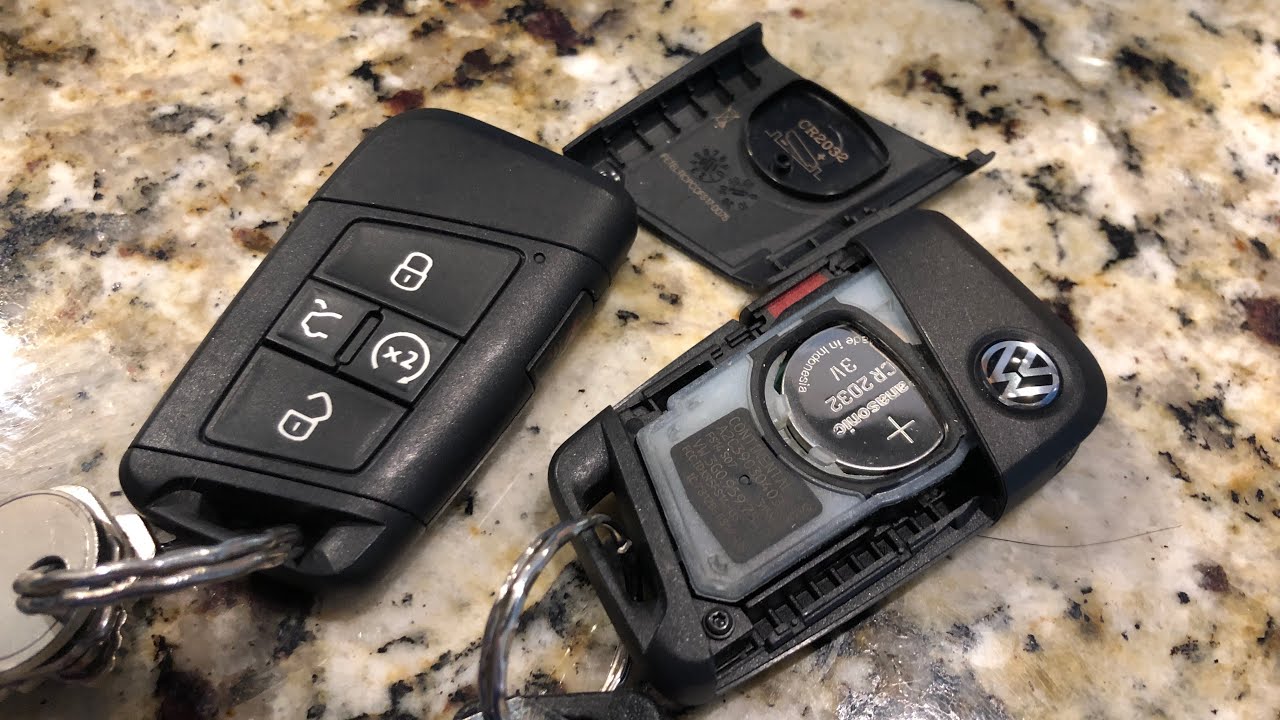
- Most VW car keys use a button cell battery , often of the CR2032 type. This type of battery is widely available and can be found in many electronics stores. Be sure to purchase a high-quality battery to ensure a long service life.
- To find out which battery your car key requires, you can consult your vehicle’s manual or remove the battery from the key and read the label. This information is usually engraved on the back of the battery.
- There are also online platforms and forums that can help you identify the correct battery based on your vehicle’s model and year.
Some websites even offer step-by-step videos on how to replace the battery.
- If you are unsure which battery is the right one, you can also contact a VW dealer or a specialized retailer who can assist you with the selection and installation.

Step-by-step guide to changing the battery
Replacing the battery in a VW car key is usually a straightforward process that can be done with just a few tools. Here is a simple step-by-step guide to help you replace the battery quickly and safely.
- First, you’ll need a small screwdriver or similar tool to open the key. Start by pulling out the mechanical part of the key. To do this, press the small button on the side of the key and pull out the key blade.
- Once the mechanical part is removed, you will see a small groove or edge where you can insert the screwdriver. Turn carefully to open the key casing. Be gentle so as not to damage the casing.
- Once the key is open, remove the old battery. Be sure to insert the new battery with the correct polarity. Usually, a plus sign (+) indicates the top of the battery, which should face upward.
- Reassemble the casing by pressing the two halves together until they click into place. Make sure the key blade is correctly reinserted, and test the key to ensure everything is working properly.
Synchronizing VW Car Keys After a Battery Change
After the battery has been successfully replaced, the car key may need to be resynchronized so that it communicates perfectly with your vehicle. This is an important step to ensure the key’s full functionality.
- In some cases, the key requires resynchronization with the vehicle, especially if the battery has been dead for an extended period. The exact steps for synchronization may vary depending on the VW model.
- A common method for resynchronization is to insert the key into the ignition and turn the ignition on without starting the engine. Leave the key in this position for a few seconds before turning the ignition off again. This often restores the connection.
- If this method does not work, it may help to manually operate the central locking system while the key is near the vehicle.
Press the buttons on the key several times to force synchronization.
- If the key still does not work, it may be necessary to have the key checked by a VW service center or a professional to ensure there are no other issues.