460
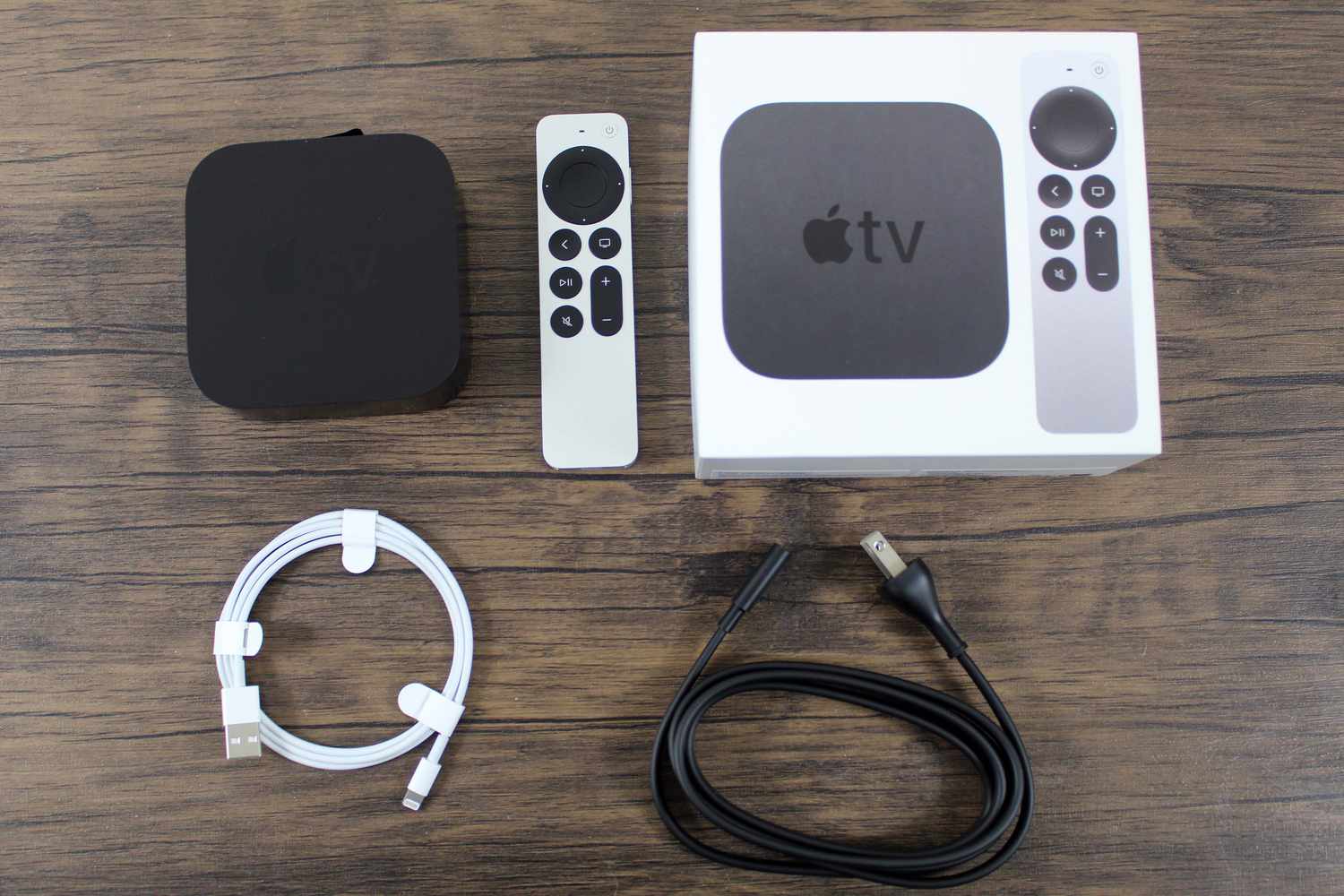
Is Apple TV definitely worth it, or are there any limitations? With this small set-top box, the iPhone manufacturer offers a device that can significantly enhance your streaming experience at home.
What makes Apple TV worth it? Here are the features included
Apple TV is one of the most powerful streaming boxes on the market and offers movie and TV series fans a wealth of features as soon as you connect it to your TV via an HDMI cable. But is it really worth buying?
- The latest model, Apple TV 4K from 2022, is available in two versions: The 64 GB version starts at 169 euros, and the 128 GB version at 189 euros.
- The version with more storage offers additional features such as Thread support for smart home devices and a wired network connection, making it particularly future-proof.
- Apple TV runs on tvOS; the latest version is tvOS 17 (as of March 2025). It supports 4K HDR (High Dynamic Range) and Dolby Vision for impressive picture quality. However, the actual picture quality also depends on the quality of the streaming content and your TV’s settings.
- With Apple TV, you can not only use Apple’s in-house streaming service Apple TV+, but also install apps for ZDFmediathek, Joyn, Netflix, Disney+, Prime Video, DAZN, and YouTube. Streaming services such as Hulu, HBO Max, Paramount+, WOW, and RTL+ are also compatible. Please note, however, that certain apps may be available depending on your region.
- In addition, you can also buy or rent content from iTunes, which further expands your selection.
- Apple TV+ offers exclusive original productions in premium quality with Dolby Atmos and 4K. This content is only available through the Apple TV app and is expanded monthly.
- With AirPlay, you can stream content from your iPhone, iPad, or Mac directly to Apple TV. This feature is particularly useful for sharing photos, music, or videos via iCloud, iTunes, or directly from your device to the big screen. AirPlay works over the Wi-Fi network, so both devices must be connected to each other.
- With Apple Arcade , Apple TV also transforms into a gaming console. The subscription costs 4.99 euros per month. For gamers, Apple Arcade is an interesting option if you want to use your Apple TV for entertainment beyond movies and TV shows.
Pros and Cons of Apple TV: These Factors Make the Difference
- If you own a TV that doesn’t support many streaming services or smart features via its software, you can effectively upgrade the device with Apple TV.
- Apple TV 4K supports 4K HDR, Dolby Vision, and Dolby Atmos, enabling an excellent viewing and listening experience. This is particularly beneficial if your TV supports these technologies.
- Apple TV offers access to a wide variety of streaming services such as Netflix, Disney+, Amazon Prime Video, Apple TV+, Hulu, HBO Max, and YouTube. However, the app selection may not be as extensive as that of some competitors.
- The user interface is clean and fast, with no ads on the home screen. The device’s performance is high, ensuring smooth streaming and fast response times.
- Apple TV is often more expensive compared to devices like Roku or Amazon Fire TV. You should factor in the initial cost and potential additional subscriptions like Apple TV+.
- If you’re setting up a smart home or looking to expand it, Apple TV is definitely a useful addition. It can act as a HomeKit hub and supports Thread and Matter for smart home devices.
- Apple TV also offers Siri as an AI assistant, which can search for content, control smart home devices, and answer general questions via voice commands.
- The Apple TV 4K 2025 is also expected to offer several new features and improvements. Apple TV is integrated into the Apple Intelligence system, which is set to offer advanced AI features such as context-aware suggestions and improved voice recognition starting in 2025. However, these features are closely tied to the Apple ecosystem and require compatible devices.
- The main drawbacks are the high price and the fact that not all streaming services or apps are available. Some features require additional subscriptions such as Apple TV+ or Apple Arcade.

How to stream Apple TV+ on non-Apple devices
You can stream Apple TV+ on non-Apple devices as well. Apple has designed the service to be available on a wide range of platforms and devices, even outside the Apple ecosystem.
- Web browser: You can use Apple TV+ via a web browser on almost any device, including Windows PCs, Chromebooks, and Linux systems. Simply visit the website and sign in with your Apple ID.
- Smart TV: Apple TV+ is available on many smart TVs, including models from Samsung (2018 and later), LG (2018 and later), Sony (2018 and later), Panasonic (2018 and later), VIZIO (2016 and later), and HiSense.
You can install and use the app directly on these devices.
- Streaming devices: Apple TV+ is also available on external streaming devices such as Amazon Fire TV, Roku, Chromecast with Google TV, and Android TV. These devices allow you to access the app without needing an Apple device.
- Game consoles: Gamers can use Apple TV+ on PlayStation 4, PlayStation 5, Xbox One, and Xbox Series X/S. The app is available in the respective app stores. You can easily download it.
- Mobile devices: Android users can also stream Apple TV+ via a browser like Chrome or Firefox, although a dedicated app is not currently available. For iOS and iPadOS devices, the Apple TV app is, of course, pre-installed.
- AirPlay 2: If your smart TV or streaming device supports AirPlay 2, you can also stream content from Apple TV+ to the big screen from your iPhone or iPad.
Alternatives to Apple TV
Learn about alternatives to Apple TV. Perhaps another model appeals to you even more.
- Amazon Fire TV with a wide selection of apps, it’s available starting at just 25 euros and supports Alexa. However, it’s less powerful and displays ads on the home screen.
- Google Chromecast is easy to use, compatible with many devices, and quite affordable, starting at 39 euros. However, it doesn’t come with a remote control, and screen mirroring can be laggy.
- Roku Streaming Stick offers AirPlay support, a large selection of apps, and an intuitive user interface starting at 39 euros. However, it has limited availability in Europe, with fewer German apps.