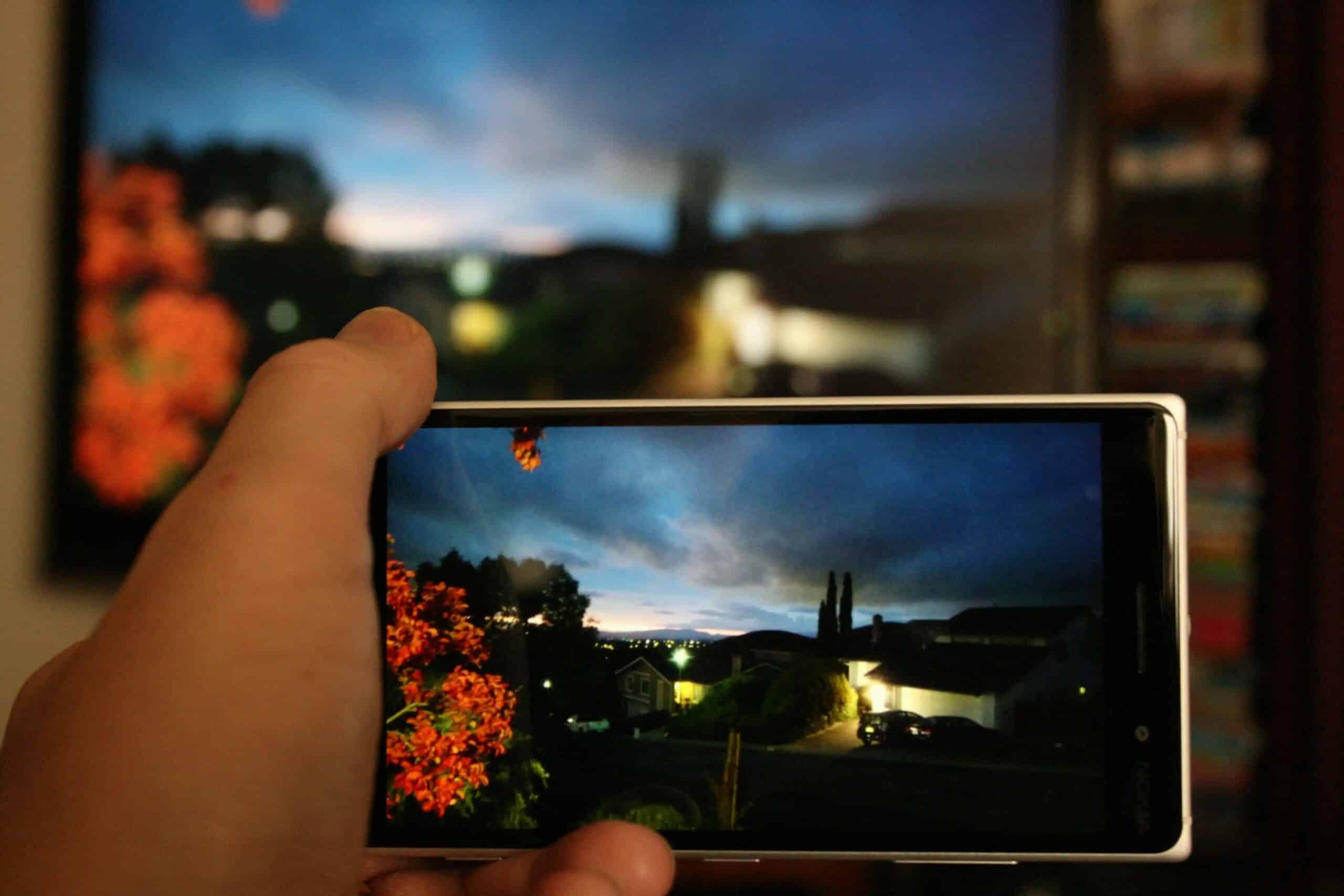
It’s worth knowing exactly what Miracast is, since more and more devices are advertising Miracast compatibility. Find out how Miracast compares to other technologies.
What is Miracast?
Since 2012, more and more Miracast devices have been coming onto the market. Here’s what’s behind it:
- Miracast is a certification from the Wi-Fi Alliance.
- Miracast is—similar to Samsung’s Screen Mirroring or Apple’s AirPlay—a screen-sharing method that allows the image from one device to be displayed on the screen of another device without cables or a router.
- For example, you can watch a video from your smartphone on your flat-screen TV without any cables. Videos with up to 1080p resolution and audio with up to 5.1 channels can be transmitted.
- To do this, Miracast uses a special, standardized peer-to-peer Wi-Fi connection. This means that both selected devices must be equipped with a Wi-Fi module.
- For wireless data transmission, the sending and receiving devices must be paired with each other at the push of a button and by exchanging an identification number.
- Already 8,000 devices, such as smartphones, tablets, Blu-ray players, and laptops running Android and Windows operating systems, are Miracast-compatible.
- Various brands, such as NVIDIA, Samsung, LG, Google Nexus/Android, and Motorola, have issued Miracast certification for numerous devices.
- You can find out if your device is compatible with Miracast using the Advanced Search. Simply check the box next to “Miracast® – All Products,” “Miracast® – Source,” or “Miracast® – Display.”
- While the transmitting device must be Miracast-capable under all circumstances, you can plug a special Miracast receiver into the HDMI port on the receiving device.
Current technical basics of Miracast
Miracast is based on Wi-Fi Direct and enables a secure peer-to-peer connection between two devices without requiring a router or internet access. This allows content such as videos or the entire screen to be transmitted directly and wirelessly from the transmitter (e.g., smartphone or laptop) to the receiver (e.g., TV, projector, streaming adapter). The connection is secured by WPA2 encryption, which provides protection against unauthorized access.
- Miracast uses Wi-Fi Direct so that devices can connect directly to each other—similar to Bluetooth, but significantly faster and optimized for media transmission.
Video transmission is limited to a maximum of Full HD (1080p), using H.264 as the standard codec. For audio, Miracast supports 5.1 surround sound. The connection operates completely independently of the home network; internet access is not required—ideal for presentations and spontaneous screen sharing. - To use Miracast, both the sender and receiver must support the technology and be equipped with Wi-Fi Direct: Android devices running version 4.2 or higher are generally Miracast-capable, though manufacturers often offer the feature under their own names (e.g., “Screen Mirroring” on Samsung). Windows PCs and tablets running Windows 8.1 or later support Miracast natively, provided the Wi-Fi hardware is compatible. Many smart TVs, projectors, and streaming adapters offer Miracast support right out of the box.
- One of the major advantages of Miracast: The devices pair directly, without requiring an existing Wi-Fi network or router. The connection is established solely between the sender and receiver and does not require an app or registration on the same network, which is why Miracast is particularly easy and flexible to use.
- These features make Miracast a versatile solution for wireless screen mirroring in many everyday situations.
What You Should Know About Using It
Miracast is a wireless technology that is particularly popular for presentations, video streaming, gaming, and sharing photos, as it mirrors content directly from one device to another—all without a cable connection. Typical applications include:
- Presentations: Content such as PowerPoint slides is wirelessly transmitted from a laptop or smartphone to a projector or large monitor, which is especially practical in conference rooms, educational institutions, and at trade shows.
- Gaming: Games from a smartphone or laptop can be displayed on a TV, providing a larger screen and a more immersive gaming experience.
- Photo sharing: Vacation or event photos can be projected directly from a cell phone to the TV so everyone can view them together without having to transfer or upload files first.
- Wireless video streaming: Movies, TV shows, and videos can be easily streamed from a mobile device or PC to the TV, allowing you to enjoy the streaming experience on the big screen with surround sound.

Advantages of Miracast
Miracast thus ensures convenient, flexible, and secure sharing of screen content—whether in the office, classroom, or for private streaming on a TV.
- No cable clutter: All transmissions take place wirelessly via a direct peer-to-peer Wi-Fi connection (Wi-Fi Direct) between the sender and receiver, eliminating the need for annoying cables.
- High mobility: Since not even a shared Wi-Fi network or a router is required, Miracast can be used flexibly anywhere—ideal for spontaneous meetings or sharing content with guests.
- Cross-platform: Miracast is supported by many Android devices, Windows PCs, and smart TVs from various manufacturers, making the technology highly versatile.
- Plug-and-play: A special app or internet connection is usually not required; the connection takes place directly between the devices and is secured by WPA2 encryption.
- High quality: Audio and video content is transmitted in Full HD up to UHD and with up to 5.1 surround sound.
Miracast compared to competing technologies
Miracast, Apple AirPlay, and Google Chromecast are different technologies for transmitting video and audio, each with its own advantages and limitations.
- Basic Functionality: Miracast establishes a direct connection (usually via Wi-Fi Direct) between the sender (e.g., smartphone, PC) and the receiver (TV, Miracast dongle) and mirrors the entire screen—whether it’s a video, presentation, or game.& nbsp;Apple AirPlay works exclusively within the Apple ecosystem and allows the transmission of audio, video, and photos to Apple TVs or compatible smart TVs—either as streaming or for screen mirroring.
- Google Chromecast works via a dongle or built-in technology in the TV, retrieves content from the internet for playback, and handles the processing itself. In this case, the screen is often not mirrored; instead, a stream is sent directly to the TV, which then continues playing independently of the mobile device.
- Compatibility and Device Support: Miracast supports many Android smartphones, Windows PCs, and various smart TVs; Apple devices are not supported. AirPlay works on iPhones, iPads, and Macs; requires an Apple TV or compatible TV sets. Chromecast is compatible with Android, iOS (via compatible apps), Windows, and Mac devices; a dongle or built-in TV feature.
- Features and Usage: Miracast offers real-time mirroring with minimal lag, up to 4K resolution depending on the device. No internet connection required (ideal for presentations and gaming). Streaming of all content is possible, not limited to apps.
- AirPlay offers very high picture and sound quality, but is limited to the Apple ecosystem. Seamless integration and easy operation within the Apple ecosystem. With Chromecast, streaming in up to 4K is possible, with smoother playback for supported apps. Multi-platform and multi-room audio; control is also possible via Google Home.
The target device handles the processing; the stream can continue running independently of the playback device.
- Different use cases: Miracast is suitable for presentations, games, or full-screen mirroring without requiring a specific app connection or internet access. AirPlay is ideal when all devices are Apple products and the focus is on smooth, high-quality media enjoyment. Chromecast is recommended for simple streaming of selected content (video, music) from supported apps, especially when different devices and operating systems are used simultaneously and independent playback is desired.
- The choice depends on the available devices, the desired ease of use, and individual requirements for quality and flexibility: Miracast is ideal for universal screen mirroring without an internet connection. AirPlay offers the best integration within the Apple ecosystem. Chromecast is universal and suitable for streaming from apps across a wide variety of devices. Each solution has specific strengths—the decision should be based on your own devices and requirements.