0
You can use a thermometer app to take your body temperature with your smartphone. Read this practical tip to find out how to take your temperature with such an app and what you need to bear in mind.
Thermometer app: Taking your temperature with a smartphone or tablet
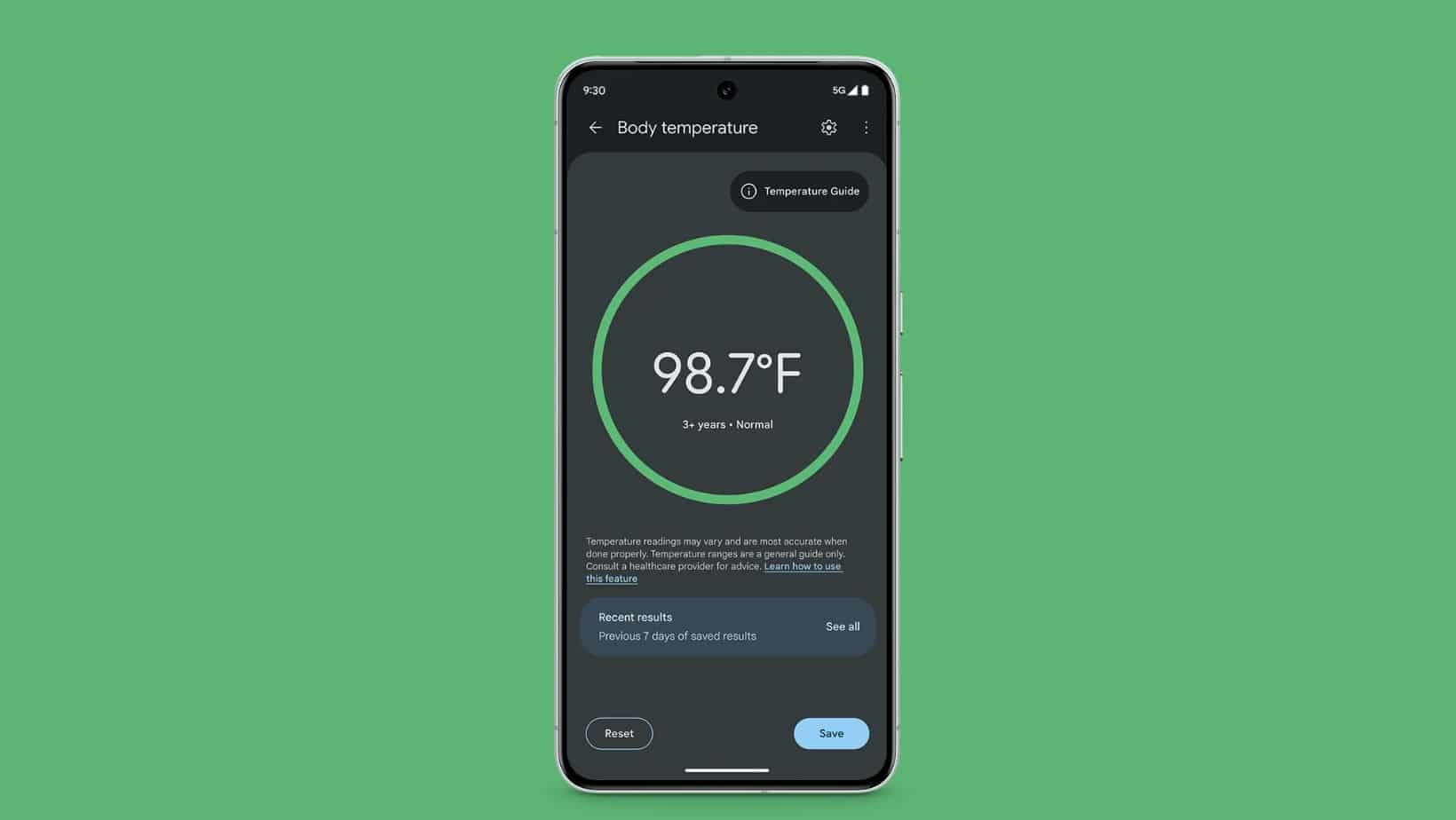
You can measure a fever not only with a traditional clinical thermometer, but also with your smartphone. This requires an app and, usually, an additional sensor or a wearable device.
- Temperature measurement solutions for smartphones and tablets usually require a specific app, which you can download from the relevant Android or Apple app store. Additionally – depending on the provider – an extra gadget in the form of a sensor is required.
- Technology for taking temperatures with smartphones has made significant progress in recent years. Some newer smartphone models now feature built-in temperature sensors that do not require any additional hardware. These sensors utilise existing components such as: battery temperature sensors, touchscreen sensors or thermistors within the device.
- There are also Bluetooth thermometers that transmit body temperature to the smartphone app in real time. This is particularly useful for children, for example to monitor a fever whilst they are asleep.
- Alternatively, there are solutions available where the sensor is attached to the skin using an adhesive strip (for example, when taking a temperature in the armpit). Here, too, the readings are analysed via the app.
- The accuracy of smartphone thermometers has also improved, but still lags behind that of medical devices.
- Researchers are developing new methods to improve measurement accuracy: The University of Washington’s “FeverPhone” app uses machine learning to combine data from the touchscreen and battery sensors. Some systems use infrared sensors in combination with smartphone cameras.
- Despite progress, challenges remain: accuracy varies depending on environmental conditions and measurement technology. Sweat and other factors can affect the measurements. The technology has so far only been tested on a few smartphone models.

The best apps with measurement and diary functions
The advantage of clinical thermometer apps is that they not only measure temperature but also offer additional features. All you need is either a smartphone with a built-in sensor or a wearable device such as a smartwatch or an additional sensor. In this chapter, we’ll introduce you to five clinical thermometer apps for Android and iOS.
- Body Temperature Tracker: The Body Temperature Tracker app for Android is available free of charge from the Google Play Store. It allows you to measure, record and save your body temperature and pulse readings. An analysis feature helps you to better interpret and understand the readings.
- Body Temperature Thermometer: With this app, you can regularly monitor your body temperature if you have a high temperature or a fever. Among other things, you can measure your body temperature using a smartwatch and enter the data into the app. However, the app itself cannot measure or determine your body temperature or pulse. Instead, you must enter these readings manually after taking them with a separate thermometer or pulse monitor. The app serves solely as a recording and analysis tool, not as a measuring device. The app is available free of charge for Android, but is currently only available in English.
- Body Temperature, Fever, Thermometer Diary: With this free Android app, you can keep a comprehensive fever diary designed to record, track and analyse body temperature and heart rate. According to the app developer, the data is stored only on the device you are using. Important: The app itself does not take any measurements. Users must enter temperature and pulse readings manually after measuring them with separate devices.
- Fever App: This app is aimed at parents and focuses on children. The Fever App allows you to manage temperature readings and record medication doses, which is a common feature of such apps. Several apps offer the ability to create temperature charts and provide an overview of medication doses. Febrile convulsions can also be documented in the Fever App.
- Withings Thermo: The Withings Thermo app works in conjunction with the wireless Withings clinical thermometer and an iPhone. This enables you to keep a comprehensive fever diary for yourself and other members of your household. The app supports up to eight user profiles, so that several people in the household can track their temperature readings. Readings are automatically synchronised with the iPhone. In addition to temperature readings, symptoms, medication and photos can also be added to each user profile. The app also offers health advice based on age, fever progression and symptoms. Furthermore, the data collected can be shared with a doctor.
