223
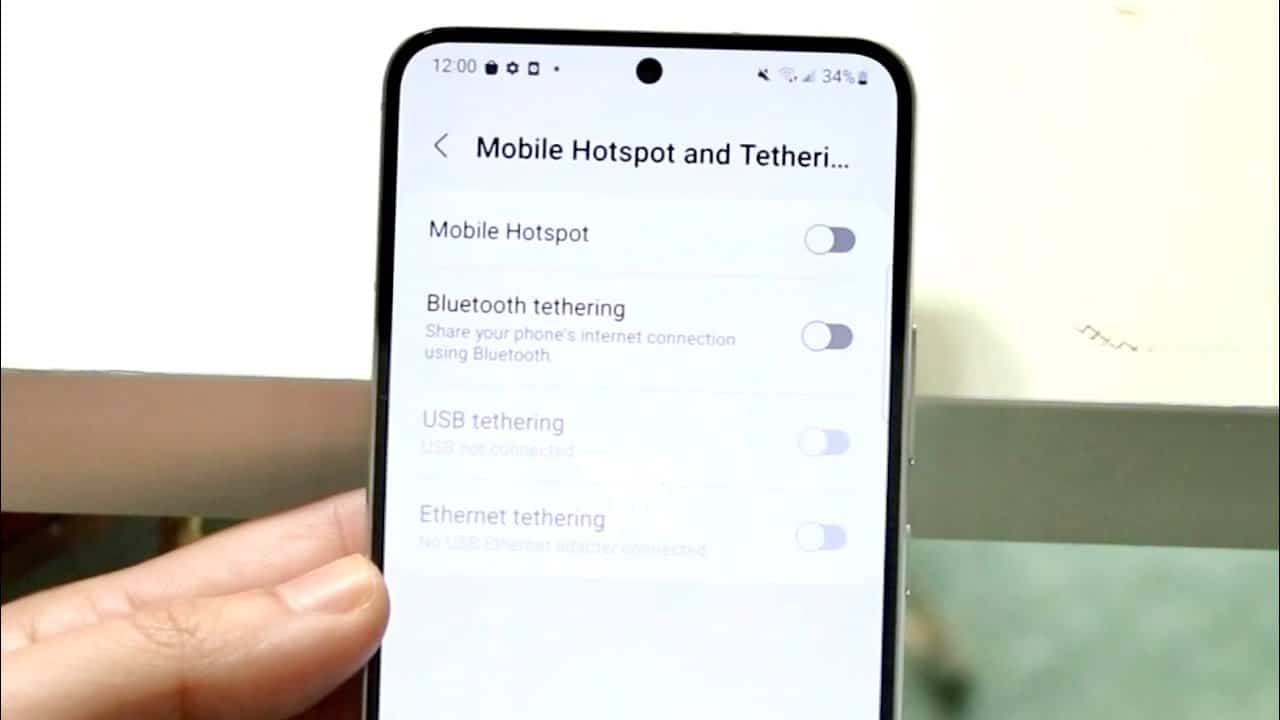
If your Wi-Fi hotspot isn’t working on Android, there’s often an easy-to-fix cause. We’ll show you the latest solutions to restore the connection—including tips for Android 12/13+.
Settings for Android 12/13+ if the hotspot isn’t working
With Android 12 and 13, some hotspot features and options have changed or been expanded. These new settings can be crucial if the hotspot isn’t working reliably or devices can’t connect.
- Maximum hotspot speed: Go to Settings > Network & Internet > Hotspot & Tethering > Wi-Fi Hotspot. Under “Advanced Settings” you’ll find the option “Maximum Hotspot Speed”. This can be set to “Low,” “Medium,” or “High.”
- Tip: Set the speed to “Medium” or “High” to prevent connection drops caused by overly aggressive power-saving measures.
- Disable device isolation: Enable “Device Isolation” (Client Isolation) only if you do not want connected devices to communicate with each other.& nbsp;For most users, it makes sense to leave this option disabled , as some devices may otherwise experience problems with IP assignment or data transmission.
- 5 GHz vs. 2.4 GHz Hotspot Frequency: Some devices (e.g., older laptops) do not support 5 GHz Wi-Fi. Therefore, switch manually to 2.4 GHz: To do this, open Hotspot Settings > Advanced > AP Band and select 2.4 GHz to ensure maximum compatibility.
Troubleshoot DNS or Authentication Errors
If devices connect but there is no internet connection:
- Set a Static IP Address: On the connected device, go to Wi-Fi Settings > Change Network > Advanced > IP Settings. Then select “Static” and assign a local IP (e.g., 192.168.43.150), gateway (192.168.43.1), and subnet mask (255.255.255.0).
- Enter alternative DNS servers: Use DNS servers such as: 1.1.1.1 (Cloudflare) or 8.8.8.8 / 8.8.4.4 (Google DNS).

Check provider restrictions & APN
Some mobile carriers block or throttle hotspot connections, especially with prepaid or discount plans.
- Examples of restrictions: With o2 Freikarten (without a data plan) hotspot use is sometimes blocked; with Congstar Prepaid Basic tethering is not permitted according to the Terms of Service; and with Lebara / Lycamobile, tethering is often only available with an additional option.
- Check APN settings: Open Settings > Network & Internet > Mobile Network > Access Points (APN). Then check whether the APN is configured correctly (e.g., internet.telekom for Telekom). If you encounter problems, a new APN without a proxy may help.
Use the Samsung Wi-Fi refresh code
- Open the Phone app and enter *#2663# .
- Tap “Start Wi-Fi Update” to recalibrate the Wi-Fi firmware.
Alternative: Use USB tethering
If the hotspot isn’t working, use USB tethering as an alternative:
- Connect your smartphone to your PC or laptop using a USB cable.
- Enable “USB Tethering” in Settings.
- Your PC should recognize the device as a network connection—ideal for a stable data connection.