362
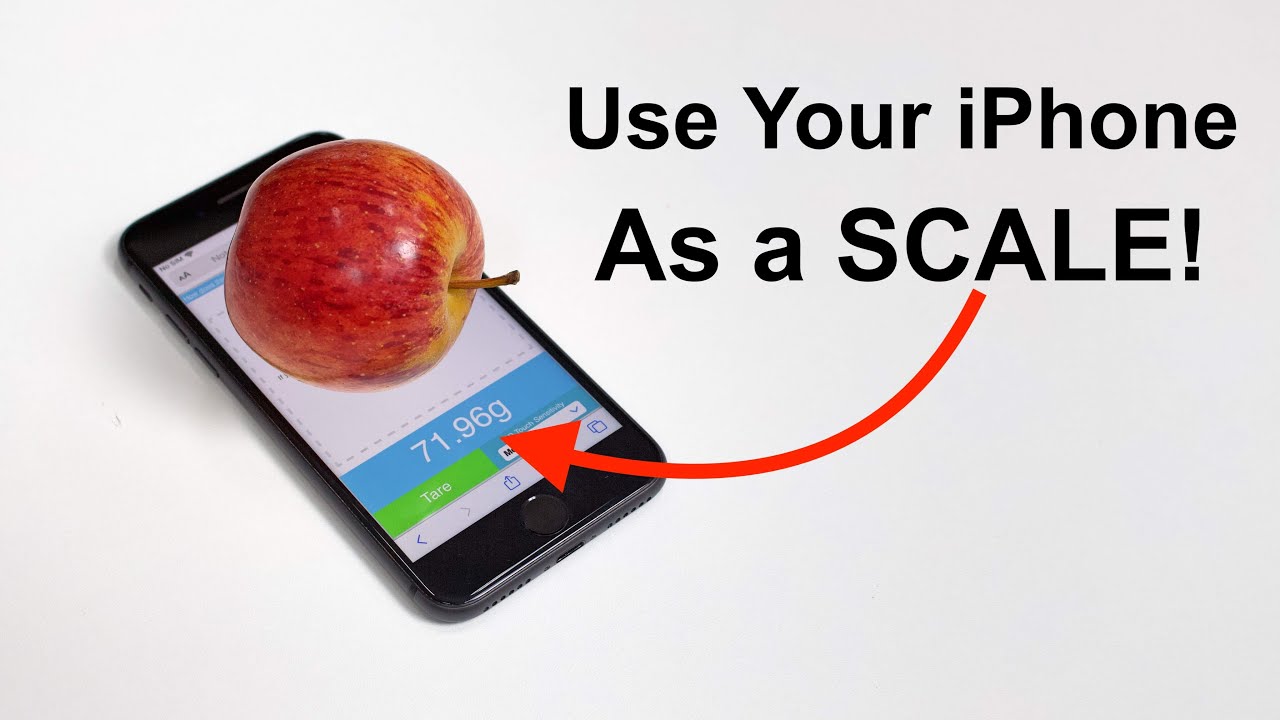
You can use your cell phone as a makeshift scale. However, the results may be inaccurate, since smartphones usually don’t have a weighing function.
Using Your Cell Phone as a Scale: The Limits of Weight Measurement
- All you need is a website or app that uses the fingerprint sensor on your smartphone. Compatible smartphones feature Apple’s 3D Touch technology, which is available on the iPhone 6S, iPhone 6S Plus, iPhone 7, iPhone 7 Plus, iPhone 8, iPhone 8 Plus, iPhone X, iPhone XS, and iPhone XS Max.
- The websites TouchScale (only available via Safari on your iPhone) or Digital Scale+ are ideal for this purpose. The usage works the same way for most applications.
- After opening the website or app, place your smartphone on a flat surface, such as your kitchen countertop. Then place the object you want to weigh on the phone.
- An approximate weight will now be displayed. Smartphones generally do not have a built-in weight-measuring function. As a result, exact results are not possible.
- Do not place wet or sharp objects on the smartphone. The measurement will also be more accurate the larger the surface area is during the measurement.
- Note: There are only a few Android models, such as the Huawei Mate S and Huawei P9 Plus, that use technology similar to 3D Touch. However, there are no working weight-measuring apps available for these devices.

Which objects are suitable for the smartphone scale?
- Only conductive objects such as a metal spoon or capacitive materials are suitable for measurement with a smartphone. “Capacitive” refers to all materials that can store electrical charges. This is possible, for example, with fruits or vegetables due to their moisture content.
- If you want to measure something that is neither conductive nor capacitive, first place a metal utensil on your smartphone.
Select this as TARE weight .
- You can then place smaller objects on the cutlery to measure them. This allows you to trick the sensor.
- However, the objects being measured should not be too heavy, so as not to damage your iPhone’s screen. Do not exceed a maximum of 400 grams.
- Note: Smartphones are not designed to function as scales. For this reason, deviations of up to 3.8 percent are to be expected.