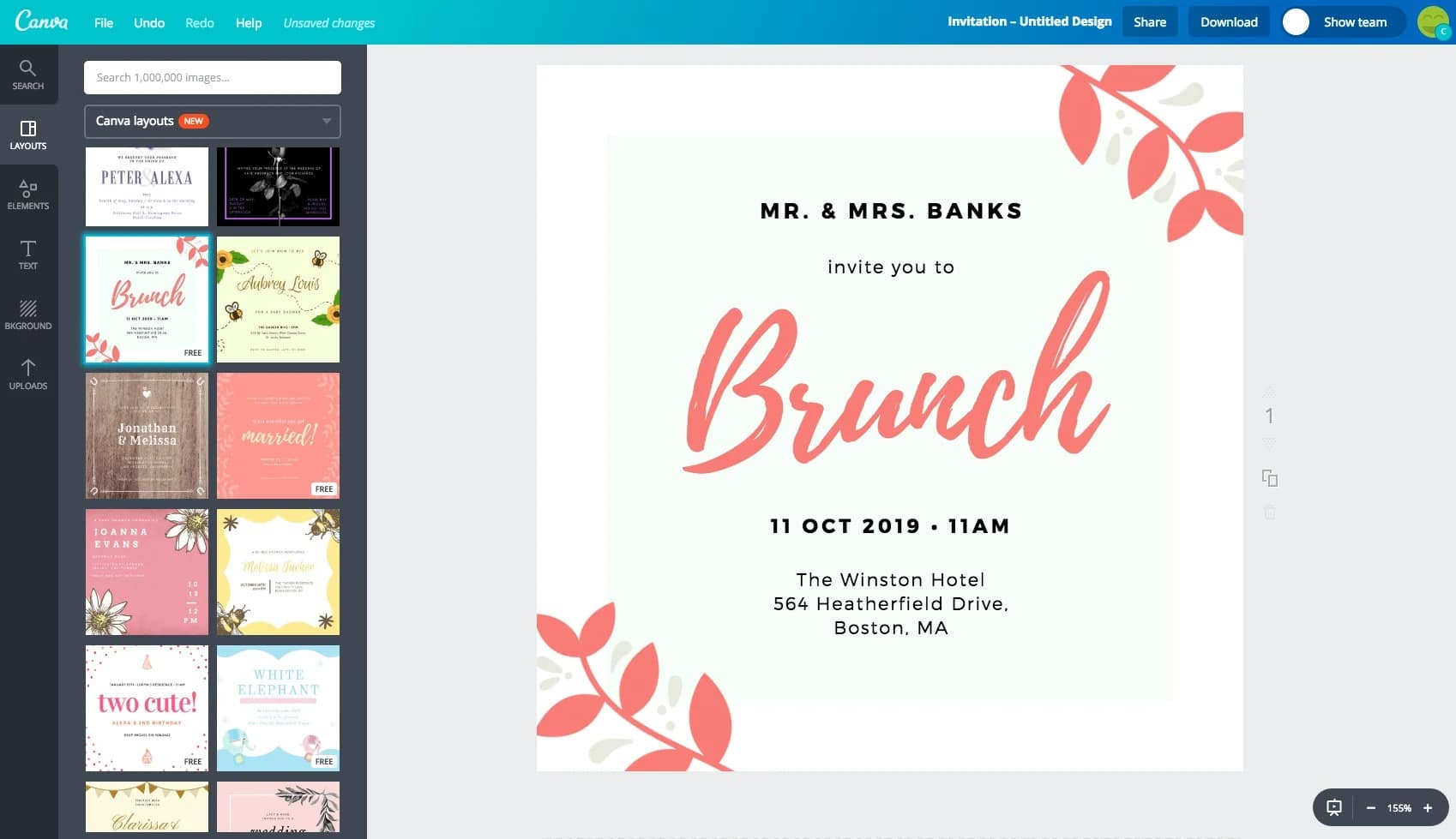
You can design your own invitation cards both online and offline—and even for free. Your invitation cards will be ready in just a few steps.
Design your own invitation cards with free tools
If you want to get hands-on and create your own invitation card for your celebration, there are a variety of online options available. Here, you can freely design all kinds of cards yourself, with or without downloads.
- You also have the option of designing your perfect invitation card using templates. Often, designing the card is free. However, costs may arise if you wish to order the invitation card in printed form. Special layouts, designs, or fonts may also be available for an additional fee.
- Different providers offer various options and advantages when it comes to card design. You can design your invitation cards online using tools from Adobe, Canva, or Desygner.
- Adobe Express offers stylish and professional layouts, but requires registration and can be somewhat slow.
- Canva, for example, stands out for its particularly user-friendly interface, numerous templates, and clear structure, but in some areas, full functionality is only available with the paid Pro version.
- Desygner is well-suited for mobile use but has fewer German-language templates.
- VistaCreate stands out with modern designs and animated elements but has limited free features.
- Greeting Island is specifically designed for invitations and allows convenient PDF export, but offers less design flexibility.
- Fotor integrates additional photo editing features, but its interface can be somewhat confusing.
How to design invitation cards with Word
You can also design various invitation cards using the Word program from Microsoft Office.
- Open Word and click the Office button in the upper left corner. This will take you to “New”.
- Under ‘New’, you can now enter the keyword “invitation” in the search bar and get numerous Word templates.
- Now all you have to do is choose a template and customize it to your liking.
- Word offers a great way to design simple invitations offline. The direct print function is particularly handy, allowing you to print your template on high-quality paper.

Practical Design Tips
A successful invitation card is the result of a harmonious design. Adapt the font, colors, and images to the occasion.
- Choose a color palette that reflects the atmosphere of your celebration—soft tones for baptisms or children’s birthdays, elegant colors like gold or burgundy for weddings, and bold accent colors for summer or cheerful celebrations.
- Combine no more than two different fonts to keep the design looking clean. A decorative font works well for headings, while a clear, easy-to-read font is best for the body text.
- Images and motifs should be high-quality, thematically appropriate, and not too overpowering. If desired, complement the text with delicate borders, icons, or small symbols to harmoniously round out your card.
- If you use templates, customize them—a personal touch makes your invitation unique.
Digital invitations and printed cards
Digital invitations are quick to send, cost-effective, and eco-friendly. They can be easily distributed via email, messenger, or social media and may include interactive elements—such as animated graphics or links for RSVPs.
- Printed cards, on the other hand, feel particularly personal and high-quality. They are ideal for formal occasions such as weddings or anniversaries and allow you to choose materials with style.
- Pay attention to paper quality when printing: We recommend a sturdy paper with a weight of at least 200 grams per square meter, possibly with a slight texture. The print resolution should be high (at least 300 dpi), and for professional printing, the color space should be set to CMYK to ensure colors are reproduced accurately.
- A combination of digital and printed versions—such as an online invitation with an additional physical card for special guests—combines modernity with a sense of quality.
- Small ideas can make invitation cards even more personal. QR codes, for example, can link directly to a registration page, an event calendar, or a Google poll.
- A handwritten note or a short personal message immediately adds warmth and individuality to the card. Small symbols or themed icons—such as balloons, flowers, or hearts—also appropriately highlight the occasion. Photo collages are particularly suitable for birthdays or anniversaries to incorporate emotional memories.
- Note: Be mindful of copyrights when designing—especially regarding images, backgrounds, or fonts. Use only your own photos or royalty-free content from reputable sources such as Pixabay, Unsplash, or Pexels
- Always check the terms of use and license information. Free tools usually indicate whether images are free to use, but the responsibility always lies with the user. This is the only way to avoid unauthorized use of protected materials.